Replit AI
Cloud-based IDE with AI-powered code generation and rapid prototyping.
Strengths
- Integrated AI assistant accelerates coding and debugging.
- Supports real-time team collaboration and sharing.
- Fully browser-based—no installation required.
- Robust educational tools and classroom features.
Weaknesses
- Performance depends on internet connection speed.
- Advanced features may require a paid plan.
- Some third-party integrations are limited compared to desktop IDEs.
Replit AI stands out as a versatile, browser-based IDE with strong AI coding features tailored for collaboration and rapid development.
Replit AI combines a robust cloud IDE with sophisticated AI code generation tools, making it an excellent choice for developers, students, and teams that value collaboration and rapid prototyping. Its lineup of features covers the full coding workflow, from writing to deployment.
Replit AI has carved out a strong position among modern cloud IDEs by marrying its classic collaborative environment with powerful AI-driven code assistance. Its browser-based approach eliminates the friction of setup and makes coding accessible on nearly any device with an internet connection. Unlike GitHub Copilot or Codeium, which act as assistants to third-party editors, Replit is a self-contained environment—allowing users to code, share, and deploy in one place. The AI assistant provides substantial value in generating boilerplate, suggesting solutions, and debugging, helping both beginners and advanced developers work more efficiently. Educational features like classrooms, assignment management, and collaborative editing make it particularly appealing to teachers and learners. However, while the free plan is generous for small projects, teams with advanced needs may find themselves constrained by limits or the need to upgrade. Also, reliance on a constant internet connection can impact usability. Nonetheless, for users looking to explore AI-powered code generation in a collaborative, accessible way, Replit AI is highly recommended. Comparisons with Cursor, GitHub Copilot, and Codeium show that Replit offers a more integrated experience, especially for web-based work and education.
 Platform Admin · 04 Jun 2026
What is Replit AI?
Replit AI is a cloud-based development environment offering built-in AI-powered coding assistance for developers, students, and teams focused on rapid prototyping. Its integrated AI assistant helps generate, complete, and debug code in real time, streamlining the development workflow. Users can instantly share, collaborate, and deploy projects directly from their web browsers. Replit AI distinguishes itself with a versatile editor, robust language support, and seamless collaboration tools. It competes with platforms like Cursor, GitHub Copilot, and Codeium, making it a strong choice for anyone looking to leverage AI for software development and learning.
Top Features
Generate, complete, and debug code automatically using integrated AI assistance across multiple languages.
Accessible directly from your browser, with real-time syncing and no installation required.
Work simultaneously with team members, share code, and deploy projects collaboratively.
Launch and share web applications instantly from the platform.
Designed features for teachers and students including assignment management and progress tracking.
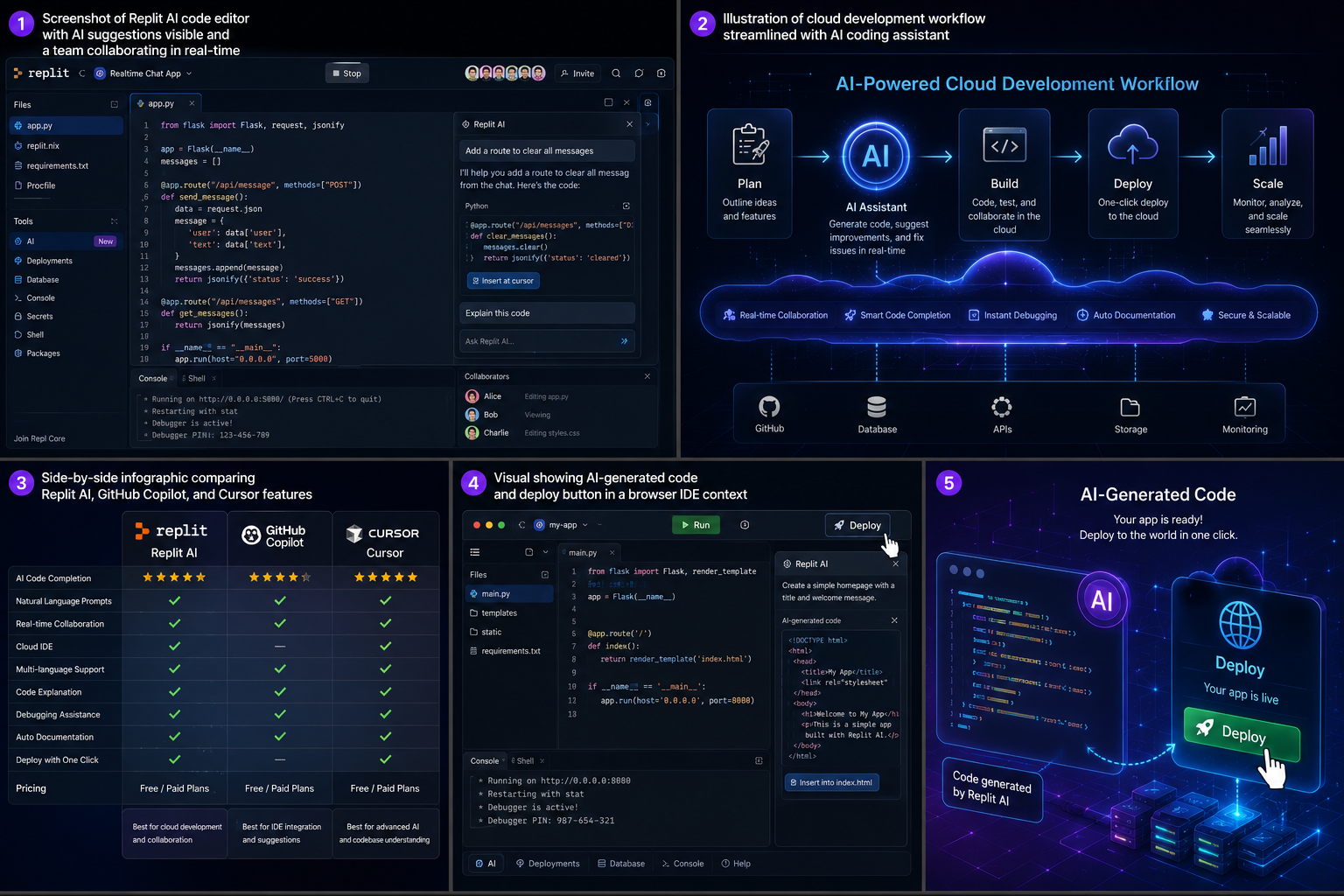
Screenshots
Where does it fit best?
Frequently Asked Questions
Replit AI is an AI-powered online development environment that helps users write, debug, and deploy code through their web browser.
Replit AI offers a free plan with basic features. Advanced capabilities may require a paid subscription.
Replit AI supports a wide range of popular programming languages such as Python, JavaScript, Java, C++, and more.
Replit AI combines an AI assistant with a collaborative, browser-based IDE, while GitHub Copilot and Codeium are primarily code assistants for existing editors.
Yes, Replit AI includes classroom management tools designed for educators and students.
Yes, projects can be instantly deployed and shared from the Replit platform.
Yes, its user-friendly interface and helpful AI assistant make it ideal for beginners and students.
User Reviews (0)
Log in to write a reviewQuick Info
- Pricing
- Freemium
- API
- Yes
- Free Plan
- Yes
- Trial Period
- Available
- Mobile App
- No
- Team Use
- Suitable
- Beginner Friendly
- Yes
- Open Source
- No