Automate and augment customer service with AI-driven support systems.
Design, implement, and scale customer support using AI chatbots, ticket automation, and agent assistance to reduce response times, cut costs, and improve CX.
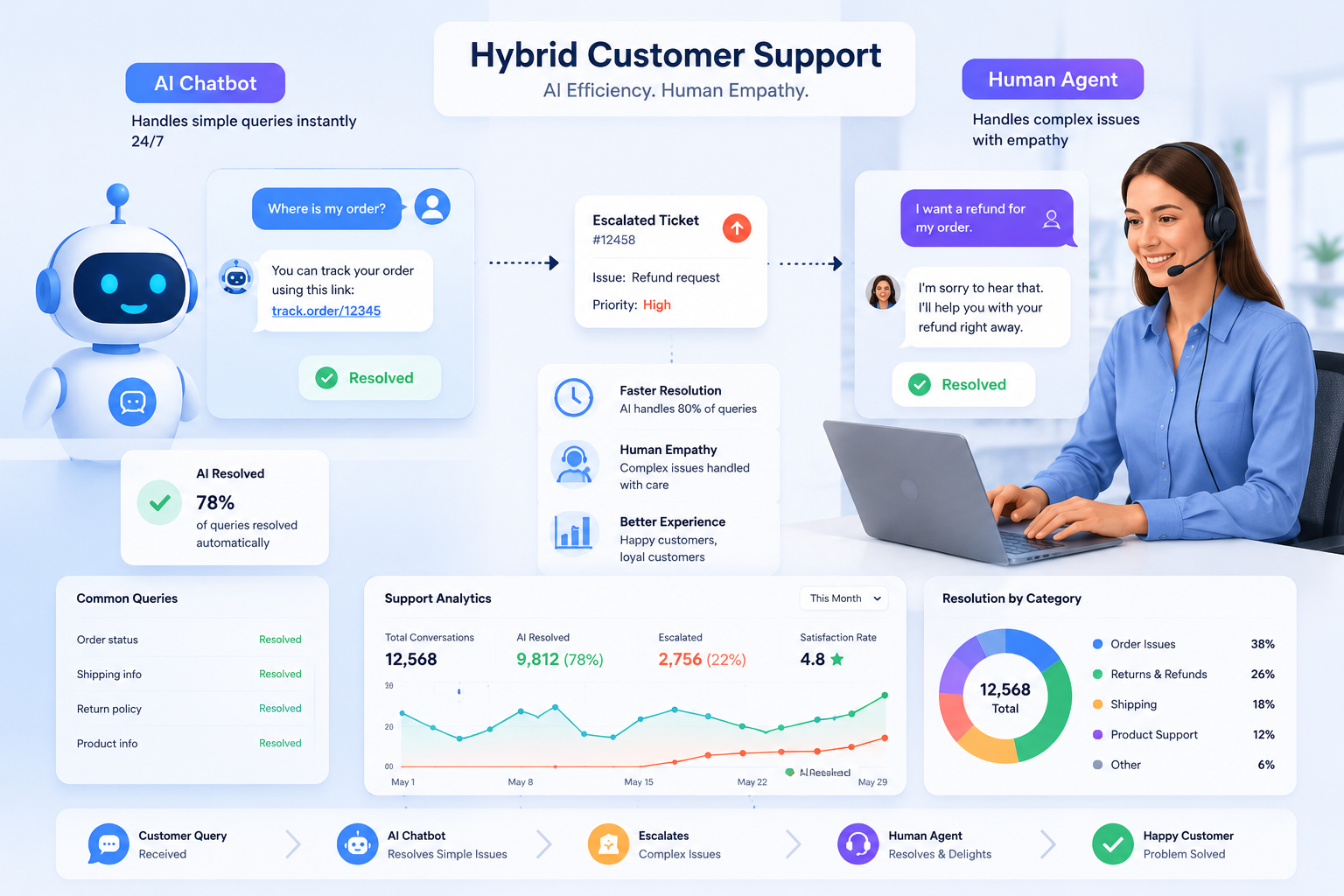
AI Customer Support covers chatbots, automated ticket triage, agent-assist systems, knowledge base automation, and analytics. This landing page helps teams choose the right approach, evaluate vendors like Intercom Fin AI, Zendesk AI, Freshdesk AI, HubSpot AI, and Salesforce Agentforce, and design safe, measurable deployments.

When to use AI for customer support
Use AI when support volume, repetitive queries, or demand for 24/7 coverage make manual handling expensive or slow. AI is especially valuable for: (1) high-frequency FAQ handling, (2) initial triage to route tickets, (3) automating routine tasks (password resets, order status), and (4) providing agent suggestions during complex interactions. Avoid replacing human agents entirely for high-risk, compliance-sensitive, or empathy-critical conversations.
How to choose the right AI support solution
Start with use-case fit: prioritize vendors that match your channel mix (web chat, email, voice, social). Evaluate core capabilities: intent classification accuracy, context retention, knowledge base syncing, escalation rules, reporting, and security (data residency, encryption). Check integration support for your CRM (e.g., HubSpot, Salesforce) and help desk (Zendesk, Freshdesk). Run a pilot with real queries and measure containment rate, resolution time, CSAT impact, and escalation quality.
Common implementation workflows
Typical deployment steps: (1) map support intents and high-volume queries, (2) centralize or sync knowledge base content, (3) build a bot for triage and routine tasks, (4) add agent-assist for suggested responses and context, (5) define escalation and guardrails, (6) monitor metrics and iterate. Combine human-in-the-loop reviews early to correct model errors and tune fallback messages.
Recommended tool types and vendor examples
Choose based on needs: embeddable chat SDKs (Intercom Fin AI), full help-desk platforms with AI (Zendesk AI, Freshdesk AI), CRM-integrated assistants (HubSpot AI, Salesforce Agentforce), and specialist NLU providers for voice/IVR. For small teams, favor hosted SaaS with prebuilt connectors; enterprises may require on-prem or private-cloud models and stronger data governance.
Risks, compliance, and quality controls
Key risks include incorrect answers, data leakage, bias, and poor escalation. Mitigations: maintain human handoff paths, implement strict access controls, anonymize logs, keep training data auditable, and use confidence thresholds with safe fallback responses. For regulated industries (finance, healthcare), verify vendor compliance and data residency before production rollout.
Comparison opportunities and migration tips
When comparing vendors, test with the same query set and measure containment, escalation accuracy, and average handling time. Consider gradual rollouts: start with low-risk topics, then expand. If migrating from a legacy help desk, prioritize data import of tickets, KB articles, and conversation context to preserve continuity.
Frequently asked questions
AI handles repetitive queries, automates routine tasks (status checks, password resets), performs initial triage, suggests agent replies, and extracts insights from conversations. It reduces response time and helps scale support with limited headcount.
Track containment rate (percent of queries resolved by AI), escalation accuracy, time-to-resolution, CSAT/NPS changes, and the rate of false positives/negatives. Also monitor agent productivity improvements and cost per ticket.
Start with the highest-volume, lowest-risk channels: web chat and knowledge-base driven FAQs. Then expand to email and social. Voice/IVR automation is valuable but usually requires additional NLU and compliance checks.
Not always. Many vendors provide managed services, low-code builders, and prebuilt connectors. However, internal involvement is needed for knowledge curation, defining escalation rules, and governance. Larger deployments benefit from data scientists and ML engineers.
Vendors should offer data encryption, access controls, role-based permissions, and options for data residency. For sensitive data, implement masking/anonymization, strict logging policies, and legal reviews. Always validate vendor compliance for your industry before production.
Common pitfalls include over-automation (removing human fallback), insufficient training data, poor KB hygiene, and neglecting monitoring. Avoid launching without a fallback path, clear escalation rules, and post-launch tuning plans.
Most AI support solutions provide APIs or prebuilt connectors to sync tickets, contact records, and KB content with CRMs like HubSpot and Salesforce and help desks like Zendesk or Freshdesk. Verify two-way sync, mapping rules, and conflict resolution behavior during evaluation.
Well-known vendor examples include Intercom (Fin AI capabilities), Zendesk AI, Freshdesk AI, HubSpot AI, and Salesforce Agentforce. Each targets different needs: Intercom focuses on conversational SDKs, Zendesk/Freshdesk on help-desk workflows, HubSpot on CRM-linked automation, and Salesforce on enterprise agent-assist.